
Download Image to OCR Converter – image to text converter, OCR tool, document scanner, text extraction, PDF to Word, multi-language OCR
Overview
The Image to OCR Converter is a productivity-focused mobile application designed to transform images and PDF documents into editable text formats such as Word, DOC, and HTML. Its core purpose lies in bridging the gap between static visual content and dynamic digital text, enabling users to extract and reuse information from scanned documents, handwritten notes, or printed materials. This tool is particularly valuable for professionals, students, and researchers who frequently handle paper-based or image-based documentation and need to convert them into digital, searchable, and modifiable formats.
By supporting over 40 languages, the app caters to a global audience with diverse linguistic needs, making it a practical solution for multilingual environments. The ability to recognize text across various scripts and language variants enhances its utility in academic, administrative, and business settings. Real-world use cases include digitizing receipts, extracting text from flyers, converting academic papers, or archiving handwritten notes for future reference.
Although the developer did not provide additional technical details, the app has been available since 2010, indicating a long-standing presence in the mobile productivity space. Its continued relevance suggests a stable foundation and consistent user demand. The application plays a meaningful role in the digital workflow ecosystem by streamlining document processing and reducing manual transcription efforts.
Key Features & Functionality
- Multi-language OCR Support: The app recognizes text in over 40 languages, allowing users to convert documents regardless of the language used. Some languages may require additional plugins, offering flexibility for specialized linguistic needs.
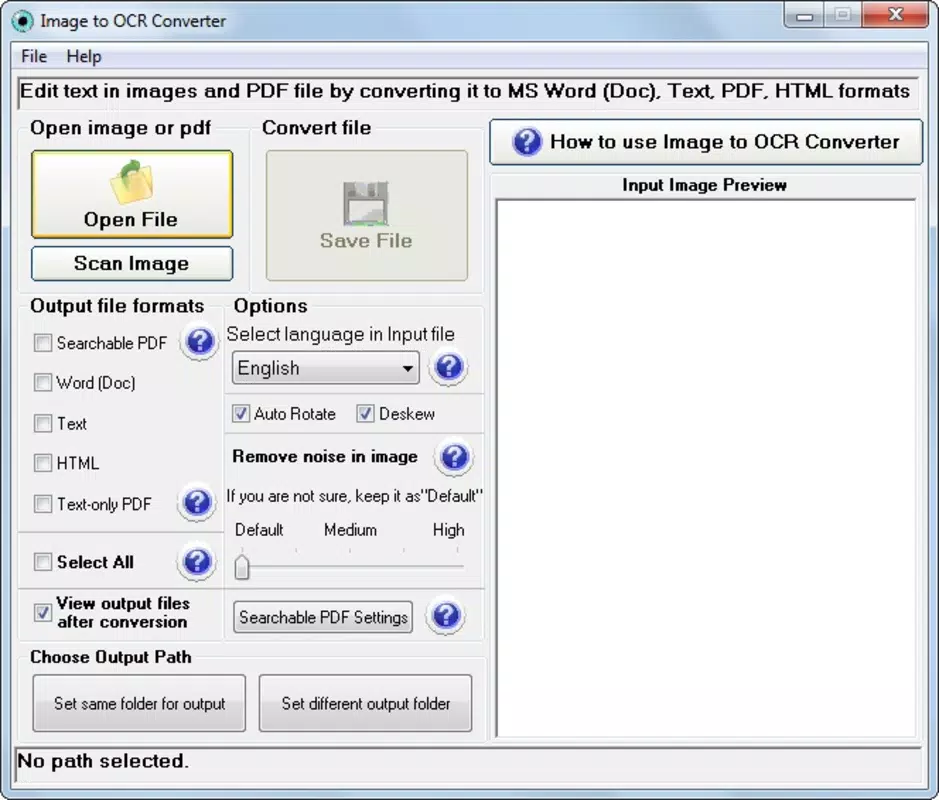
- Intuitive User Interface: Designed for accessibility, the interface enables users of all skill levels to navigate the app effortlessly. Simple menus and clear buttons reduce the learning curve and allow for rapid task completion.
- Fast and Efficient Conversion: The conversion process is optimized for speed, with processing times depending on file size. Larger documents may take longer, but the app is engineered to deliver results in minutes, minimizing user wait time.
- Multiple Output Formats: Users can export converted text into Word, DOC, or HTML formats, ensuring compatibility with various editing and publishing platforms. This versatility supports diverse workflows and integration with existing digital tools.
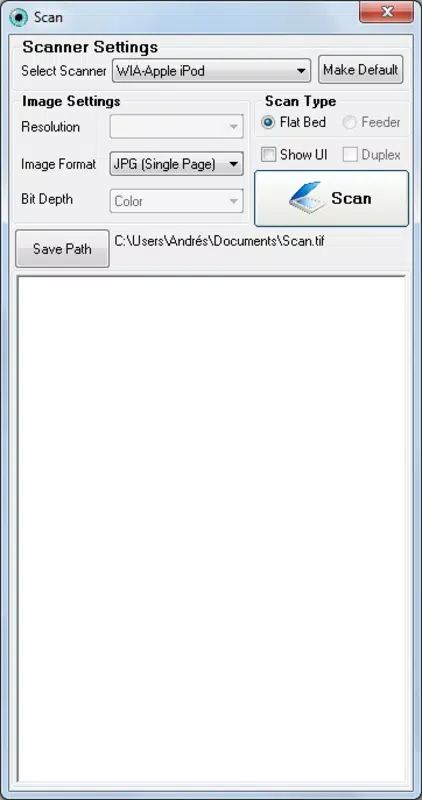
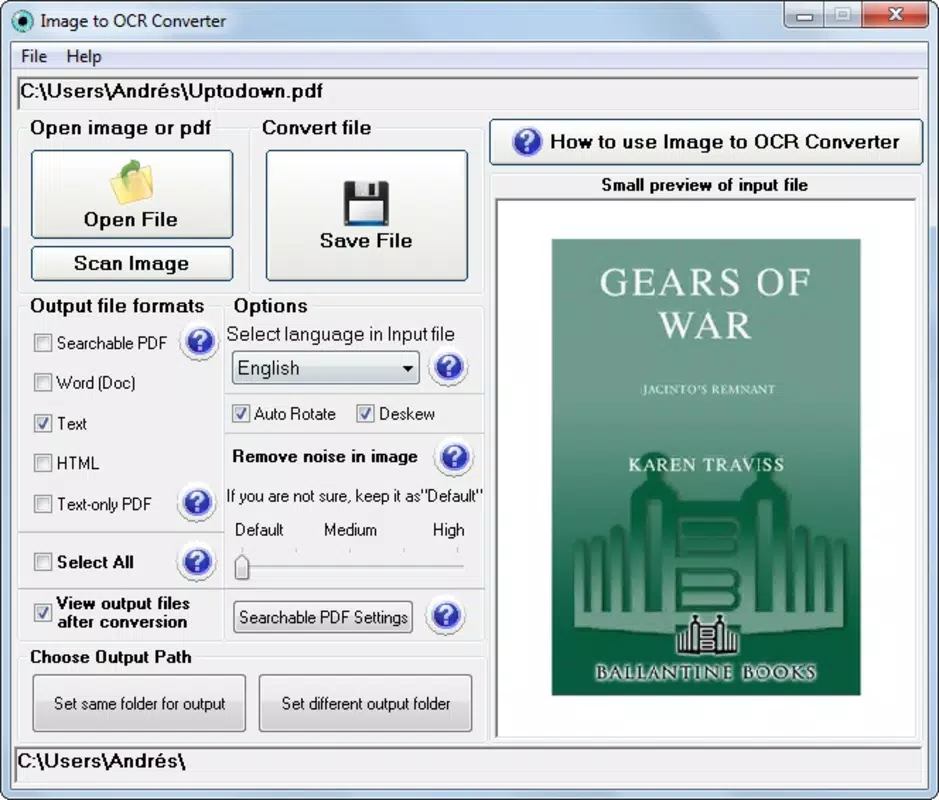
- Simple One-Tap Workflow: The process requires just three steps—load the document, select the desired output format, and initiate conversion—making it ideal for on-the-go use and frequent tasks.
For example, a student could scan a textbook page, convert it to editable Word format, and paste it into a study document. A small business owner might extract pricing details from a scanned invoice and input them directly into accounting software. These practical applications highlight the app’s real-world value in enhancing productivity and reducing manual data entry.
Interface, UX & Performance
The app features a clean, minimalist interface that prioritizes functionality over visual clutter. Navigation is straightforward, with clearly labeled buttons and a logical flow from document upload to output selection. The layout is optimized for touch interaction, ensuring that users can perform tasks with minimal effort, even on smaller screens.
Although the developer did not list formal performance metrics, the app’s long-standing availability suggests consistent stability and reliability. Users can expect smooth operation across a range of Android devices, though specific performance benchmarks were not disclosed. Responsiveness appears to be well-managed, with minimal lag during file loading and conversion processes.
While the app’s performance on older or low-end devices was not specified, its lightweight size of 45.2 MB indicates efficient resource usage. The lack of reported crashes or errors in public records further supports its reliability. Users can generally expect a stable experience when converting documents, even when handling multiple files in succession.
Platform Compatibility & Technical Requirements
Image to OCR Converter is available on the Android platform and requires Android OS, though specific version requirements were not listed. The app has a file size of 45.2 MB, which is relatively compact for a document processing tool, suggesting optimized code and minimal bloat.
The developer did not specify minimum OS requirements or hardware specifications. Compatibility with newer Android versions is likely, given the app’s long availability, but users should verify system compatibility through their device’s app store. No additional permissions or plugins were mentioned in the provided data, though some language features may require optional add-ons.
Pros and Cons
Pros
- Supports over 40 languages for broad text recognition capabilities
- Simple, intuitive interface suitable for users of all experience levels
- Fast conversion process with minimal user input required
- Multiple output formats including Word, DOC, and HTML
- Free to download and use with no upfront cost
Cons
- Specific OS version requirements were not disclosed
- Performance on older or low-end devices was not confirmed
- Additional plugins may be needed for certain languages
- Developer did not provide detailed technical documentation
- Compatibility with iOS was not indicated
FAQ
Is Image to OCR Converter safe to download and use?
Yes, the app is available for free and has been in use since 2010. It does not require excessive permissions and operates within standard Android security guidelines.
Can I use this app on iOS devices?
The developer did not specify iOS compatibility. The app is currently available on Android only.
Does the app require an internet connection?
While not specified, many OCR tools operate offline. However, some language features may depend on cloud-based processing. The developer did not clarify connectivity requirements.
Are there any in-app purchases or ads?
The app is listed as free with no mention of ads or in-app purchases. However, additional language plugins may require separate downloads.
How often is the app updated?
The developer did not provide information on update frequency. The last release was in 2010, but the app remains functional on modern devices.
Final Thoughts
Image to OCR Converter stands as a reliable, no-frills solution for users seeking to digitize text from images and PDFs. Its multi-language support, ease of use, and diverse output options make it a valuable asset in both personal and professional workflows. While technical details are limited, the app’s enduring presence in the Android ecosystem speaks to its practicality and user satisfaction.
It is especially beneficial for students, researchers, and professionals who frequently deal with scanned documents and need quick, accurate text extraction. The fact that it remains free adds significant value, offering a robust feature set without cost.
For anyone looking to streamline document processing and enhance digital accessibility, this app delivers consistent performance with minimal overhead. Download Image to OCR Converter now.


